

If you’ve spent any time building custom security in Dynamics 365 Finance & Supply Chain Management, you know that assigning Read access to an object means you have the ability to view the record but cannot create new records and can’t edit or delete the record.
But are there some forms that don’t follow this rule? Let’s take a look into the Security Configuration form…
Blog Overview / Key Takeaways
- The Security Configuration form (controlled by the
SysSecConfigurationdisplay menu item) allows for configuring role, duty, and privilege definitions in D365FSC. - Unlike almost every other form in the system, it does not follow standard CRUD-based security behavior where granting Read access to the
SysSecConfigurationmenu item gives a user full edit and publishing capabilities on security roles, duties, and privileges. Not read-only visibility like you’d expect. - Out of the box, only the Security administrator role has access to this object.
- If you’re building custom security and want someone to see security configuration without being able to change it, this form will not behave the way you think it will.
A Quick Refresher: How D365 Security Normally Works
D365FSC object level security is fairly straightforward, for the vast majority of forms in the system, the access level you assign (Read, Update, Create, Delete) maps to standard CRUD operations against the object. This is the behavior every D365 security architect assumes by default, because it’s true almost everywhere else in the application (which is exactly what makes the Security Configuration form so dangerous).
Enter the Security Configuration Form
The Security Configuration form is the form admins use to actually build and modify security – creating custom roles, adding duties to roles, adding privileges to duties, and (critically) publishing those changes so they take effect. It’s accessed through the SysSecConfiguration display menu item, and it’s the backbone of any custom security work you do in the platform.
Here’s the part that breaks the model, this form isn’t really exposing read/write access to data in the traditional sense. It’s exposing access to the security configuration engine itself. There isn’t really a “read-only mode” for a tool whose entire purpose is editing and publishing security changes. So when the platform has to decide what “Read” access to this menu item means, it doesn’t have an equivalent read-only experience to fall back on the way it does for other record types.
To demonstrate this, I set up a test role that only has Read access to the SysSecConfiguration menu item display:

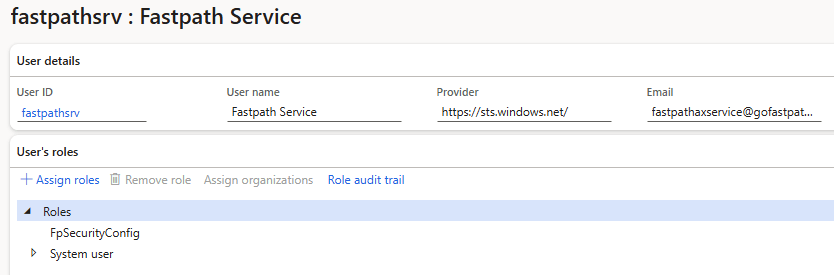
I can then assign this to a user:
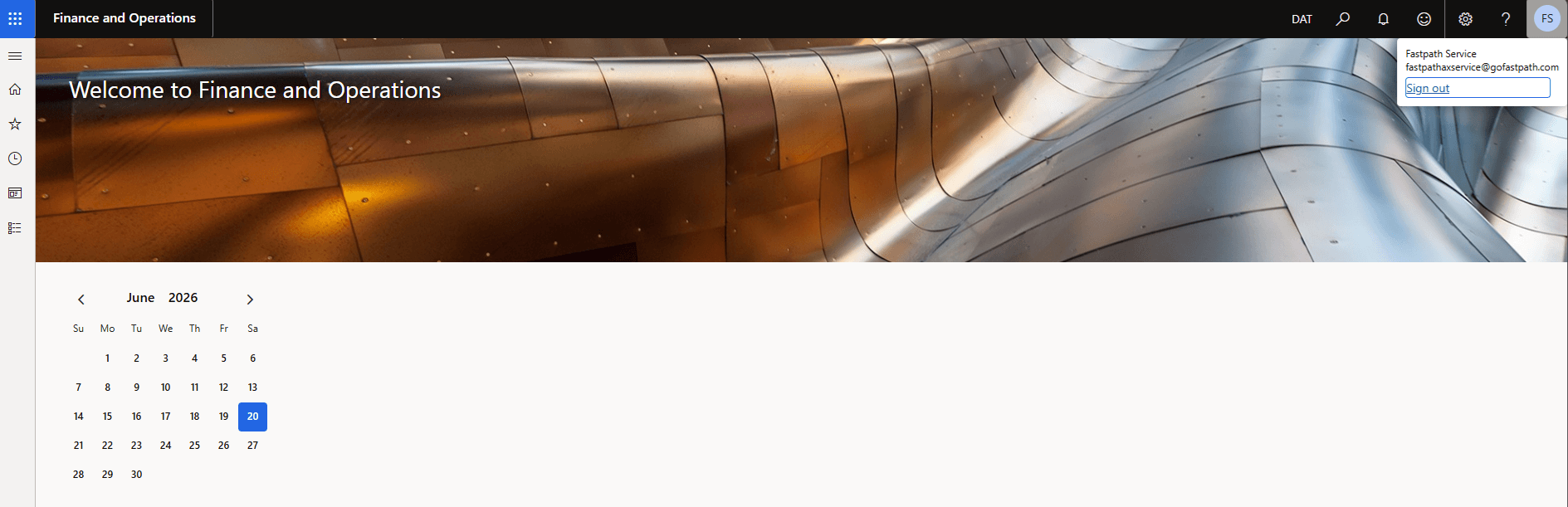
When I log in I can see that the user only has access to the ‘Security Configuration’ form:
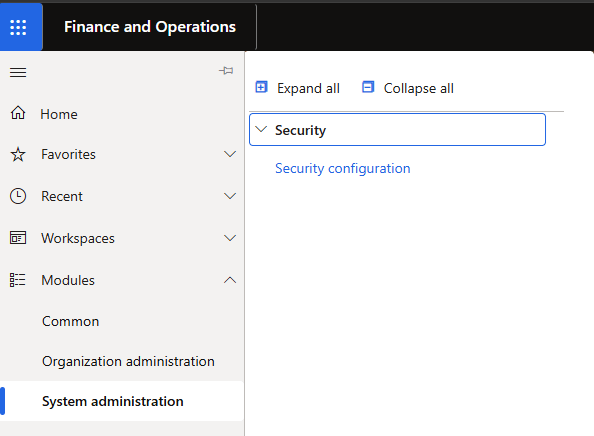
When I navigate to the form, I can see that I have full permissions to be able to modify security layers, for example I can add the Accountant role as a subrole to the test role I created earlier:
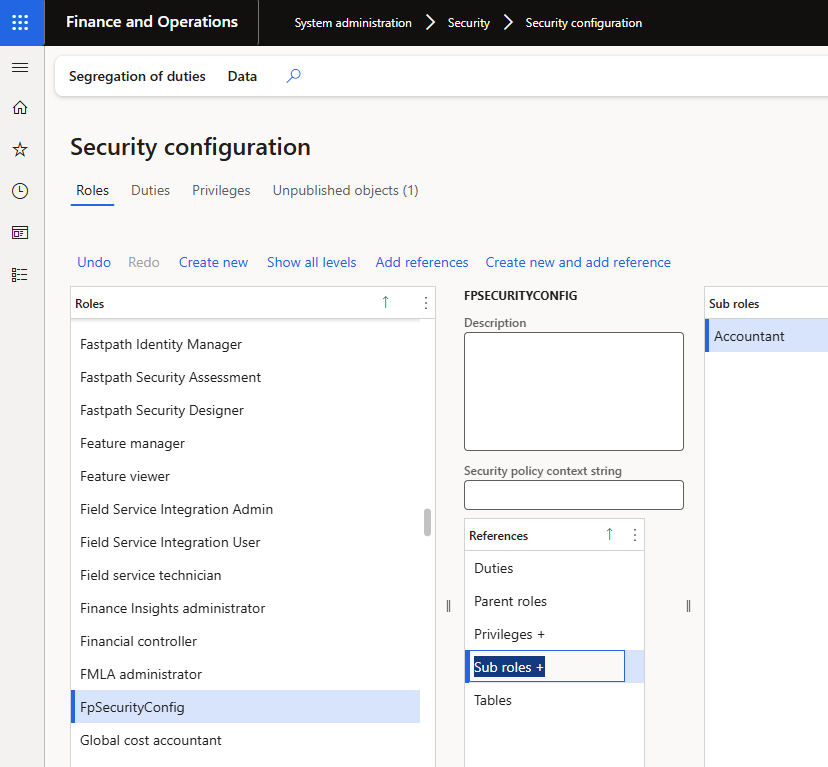
And I can publish the changes:
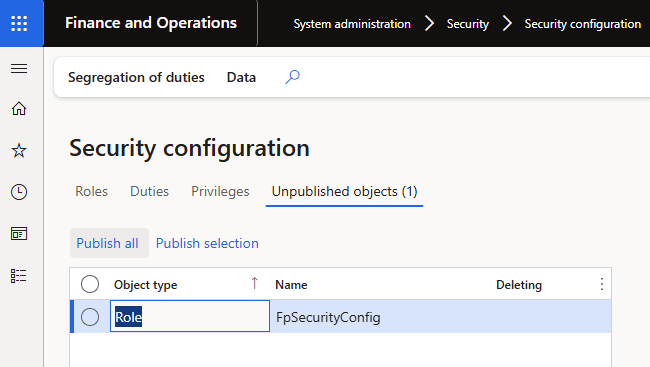
When I reload the home screen I can see this user now has the Accountant role permissions:
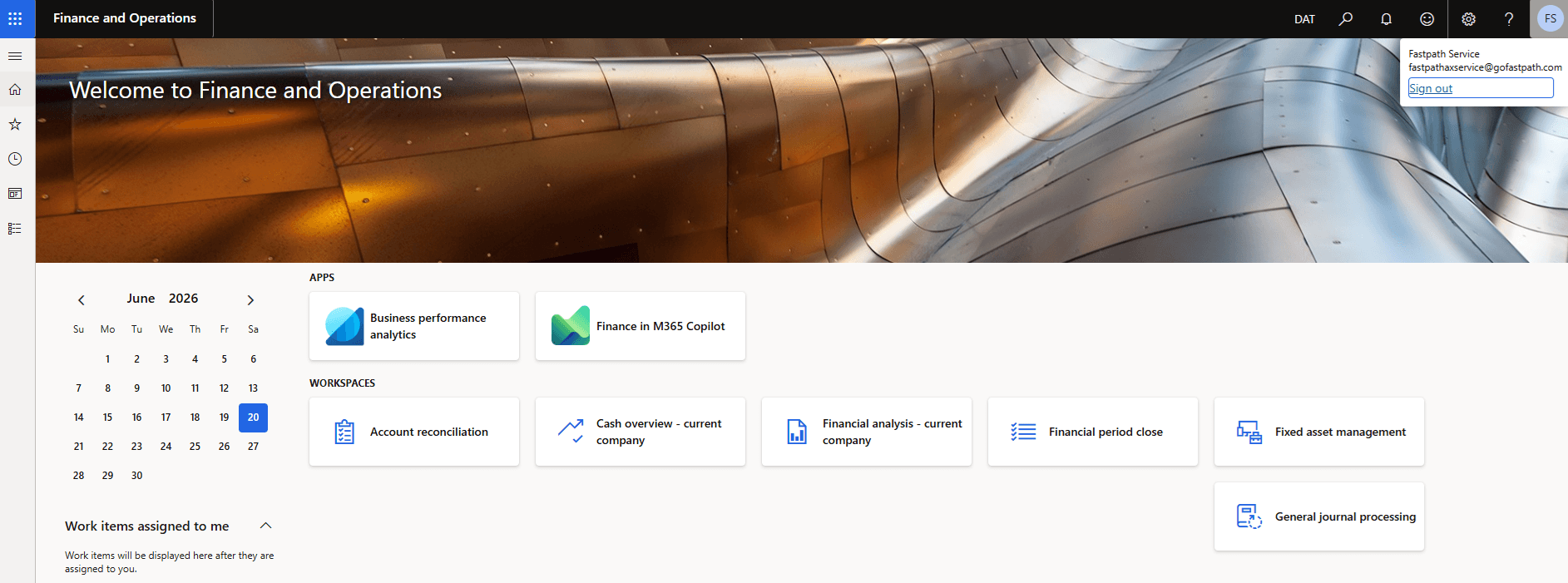
So a user that only has Read access to the Security Configuration menu item, has the ability to go in and modify the permissions for any role, duty, or privilege (including the role they are currently assigned).
Why This Matters (and Why It’s Easy to Miss)
This isn’t a bug you’ll stumble into, it requires someone to deliberately go down the path of building custom security around the Security Configuration form, which most organizations don’t do often. But that’s exactly what makes it dangerous: it’s a low-frequency, high-blast-radius mistake. The people most likely to hit this are the people doing exactly the kind of careful, least-privilege security design you’d want to encourage (eg: someone trying to thoughtfully scope down access rather than just throwing System Administrator at a problem).
And because the failure mode is silent, there’s no error, no warning, no “are you sure” dialog. The form just works. It looks like it worked correctly. Nobody finds out otherwise until someone notices a role definition changed that shouldn’t have, or worse a SOX audit finds it.
Out-of-Box Role Access
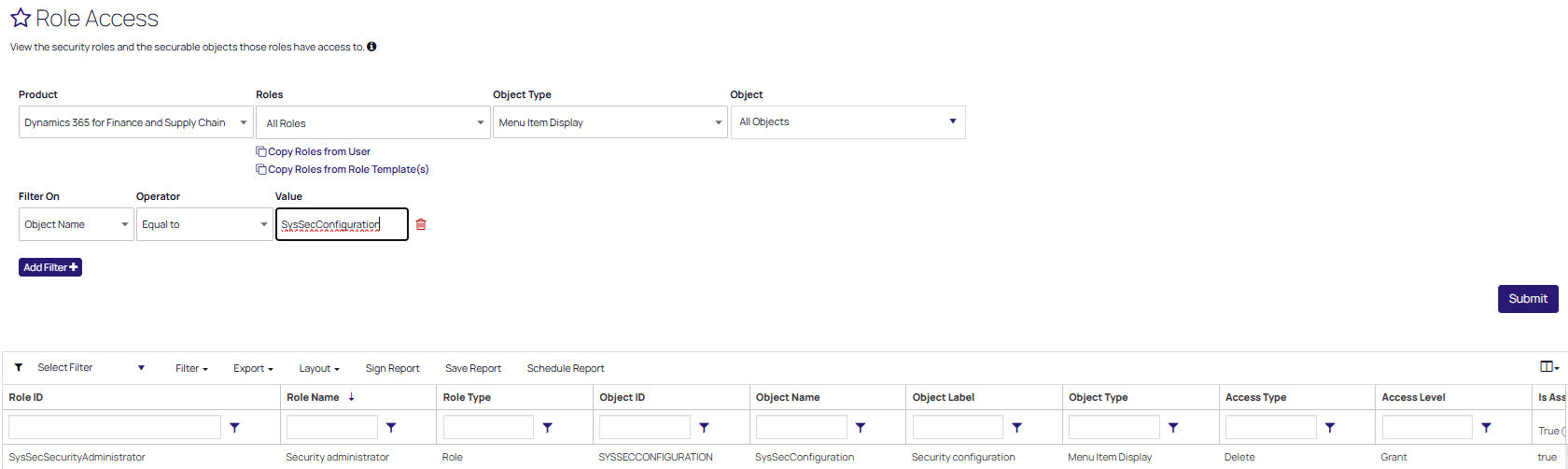
Worth noting for context: out of the box, only the Security administrator role has access to the SysSecConfiguration object. That’s by by design, Microsoft clearly intends this to be a tightly held capability. The risk shows up specifically when organizations build custom roles or duties that reference this menu item, often with the best of intentions (limiting access, granting narrow visibility) and without realizing the Read/Edit distinction doesn’t apply here the way it does everywhere else.
I used the Fastpath Assure solution to validate finding which roles grant access to this object:
The Takeaway
If you’re designing custom security in D365FSC and you’re tempted to grant access to the SysSecConfiguration menu item for the purpose of giving someone visibility into role, duty, or privilege configuration, stop and reconsider. As we have shown, there isn’t a way to use this object to grant view-only access to security configuration. Access to the object means functional access to modify and publish security.
A few practical recommendations:
- Audit your custom roles and duties for any reference to
SysSecConfigurationand confirm the access level was intentional. - Don’t rely on the View/Edit access level distinction for this specific object, treat any access as equivalent to full access.
- If you need read-only visibility into security configuration, look at alternate approaches, exporting role/duty/privilege data, using a reporting tool, or a GRC platform that can surface that information without exposing the live configuration engine. (This is exactly the kind of gap tools like Fastpath Assure are built to cover.)
- If you’re an auditor or SOX reviewer, this object is worth specifically checking for in any custom security review.
The broader lesson here is one that applies well beyond this one form: D365’s security model is mostly consistent, which is exactly what makes the exceptions worth knowing by name, the Security Configuration form is one of them.